Cosmic Ray
- 类型:角色扮演
-
评分:
- 版本:v1.2
- 语言:英文
- 大小: 125MB
- 更新:2022-07-27
- The Earths sun is about to die
内容介绍
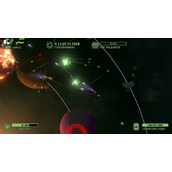
The Earth’s sun is about to die. Scientists predict that we have at most 5 days left. The entire world as live in is about to end …
Cosmic Ray to the rescue! His mission:
Casual gameplay with amazing short rounds makes this game a great option for killing a few minutes.
Soundtrack:
Cosmic Ray presents a lush and ambient soundtrack with music by Snug, JFS and Ogotu. Guaranteed to calm a crying baby in seconds.
Key Features:
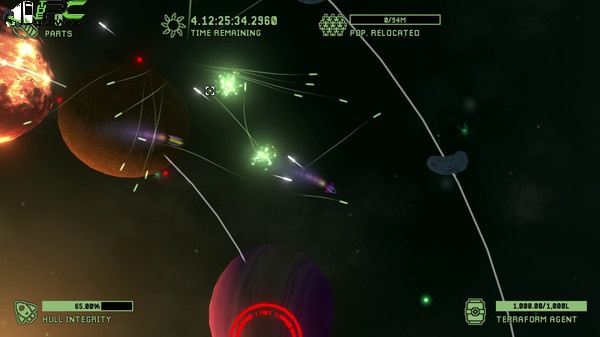
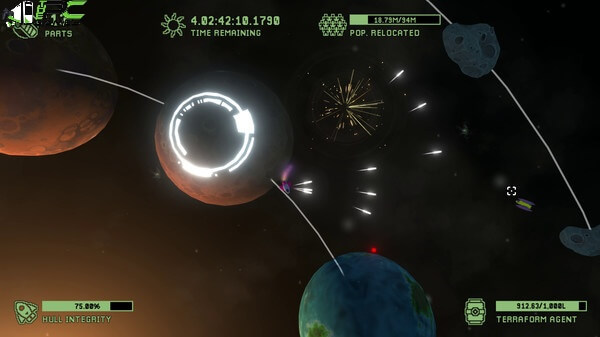
Colonize inhabitable planets, terraform inhospitable ones.
Collect ship parts to buy upgrades.
Explore distant solar systems.
Thwart alien attacks while avoiding the perils of space.
Search planets for resources such as upgrade blueprints and alien artifacts.
Minimum Requirements
Your device must meet all minimum requirements to open this game
Requires a 64-bit processor and operating system
OS: Windows 7+
Processor: Dual-core 2.4 Ghz or faster
Graphics: 4 GB RAM
DirectX: Version 10
Storage: 200 MB available space
Recommended Requirements
Your device should meet these requirements for the best experience
Requires a 64-bit processor and operating system
Use the download link given at the bottom of this page to download the full game.
Right-click on the compressed file of rar. and click on “Extract here”.
Ensure that you already have the software of Winrar installed.
Now you will see an Iso file that is extracted and you must extract it too by clicking on “Extract here” again.
OR If you are comfortable with “UltraISO” software, you can also open iso with it by clicking on the “Mount to virtual drive” icon on the 3rd bar on top of UltraISO. Then go to the virtual drive and open it. This is usually just after My Computer.
When you have done the mounting or extracting, Right-click on the file with an extension of “.exe” and click on “Run As Administrator” to start the game installation.
Wait for it to install the game on your pc.
Once the installation is complete, open the folder and copy all the files from there and paste into the directory where you have installed the game. For example, if you have installed the game in “My Computer > Local Disk C > Program files >“Cosmic Ray” then paste those files in this directory.
Click on replace if it asks for it.
Right-click on the game icon .exe and then click on “Run as Administrator” to start the game.
Enjoy!
应用截图


最新文章
更多- 微博手机网页版登录入口-微博手机网页版官方访问地址 2026-02-07
- 李连杰是什么梗?揭秘功夫巨星爆笑网络名场面! 2026-02-07
- 差差漫画-免费在线畅读全文 2026-02-07
- 虫虫漫画-免费正版漫画观看入口-海量漫画在线畅读平台 2026-02-07
- 李没梗是什么梗揭秘网络热词李没梗的由来和爆火原因 2026-02-07
- 差差漫画免费版极速下载-差差漫画2026最新版一键获取 2026-02-07
最新更新
- 1 工业崛起2免安装中文版
- 2 匠人免安装绿色中文版
- 3 一回杀免安装绿色中文版
- 4 爆笑三国2免安装中文版
- 5 帝王牌局:古国纷争免安装绿色中文版
- 6 王国循环免安装中文版
- 7 兽灵纪元免安装绿色版
- 8 深井迷阵免安装绿色中文版
- 9 驯牌师免安装绿色中文版
- 10 茂林源记免安装绿色中文版