
Monstrum 2
- 类型:角色扮演
-
评分:
- 版本:v1.1
- 语言:英文
- 大小: 125MB
- 更新:2022-07-28
- Monstrum 2 is an asymmetric multiplayer game for those looking to take their survival ho
内容介绍
Use your wit and cunning to navigate intricate procedurally generated metal mazes that change layouts, puzzles, elements and obstacles for each match to keep each match dynamic for both humans and monsters.
Key Features:
Work with your teammates to collect items scattered around the decaying facility to overcome obstacles between the ticket to escape and your ticket.
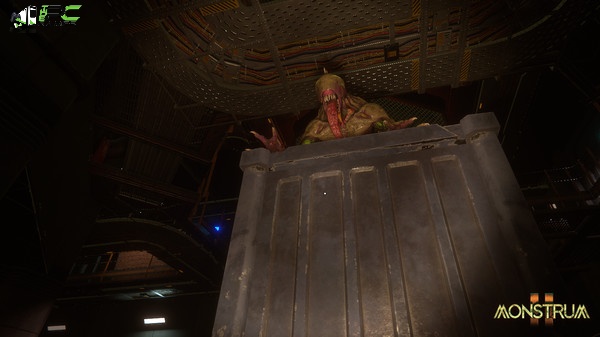
Choose from a wide variety of genetically modified monsters derived from failed deep-sea experiments. Each one has its own characteristics for hunting humans.
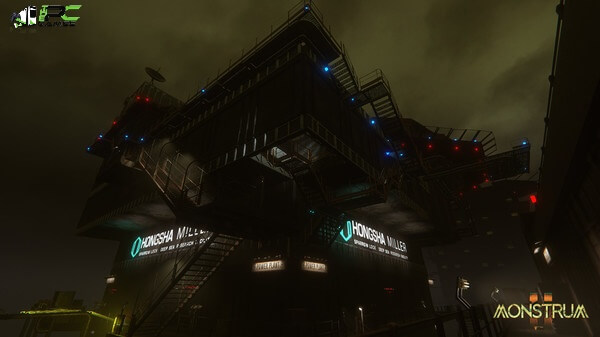
Explore Sparrowlock, a Hongsha Miller research facility. Structure derived from an old marine fortress. Explore the intricate meshes of rooms and rusted corridors as you adjust to the different environments and game challenges created with each game.
Great to run if found! Stay nimble and escape quickly using a variety of items collected from your arsenal. Your survival is in a delicate balance.
Be covert and out of sight. Use a variety of hiding places to keep them out of sight while avoiding traps that tell you where you are.
Minimum Requirements
Your device must meet all minimum requirements to open this game
OS: Windows 10
Processor: i5 6500
Memory: 8 GB RAM
Graphics: GTX 970
Network: Broadband Internet connection
Storage: 8 GB available space
Recommended Requirements
Your device should meet these requirements for the best experience
OS: Windows 10
Processor: i7 7700 Gen
Memory: 16 GB RAM
Graphics: GTX 1080
Network: Broadband Internet connection
Storage: 8 GB available space
Use the download link given at the bottom of this page to download the full game.
Right-click on the compressed file of rar. and click on “Extract here”.
Ensure that you already have the software of Winrar installed.
Now you will see an Iso file that is extracted and you must extract it too by clicking on “Extract here” again.
OR If you are comfortable with “UltraISO” software, you can also open iso with it by clicking on the “Mount to virtual drive” icon on the 3rd bar on top of UltraISO. Then go to the virtual drive and open it. This is usually just after My Computer.
When you have done the mounting or extracting, Right-click on the file with an extension of “.exe” and click on “Run As Administrator” to start the game installation.
Wait for it to install the game on your pc.
Once the installation is complete, open the folder and copy all the files from there and paste into the directory where you have installed the game. For example, if you have installed the game in “My Computer > Local Disk C > Program files >“Monstrum 2” then paste those files in this directory.
Click on replace if it asks for it.
Right-click on the game icon .exe and then click on “Run as Administrator” to start the game.
Enjoy!
应用截图

最新文章
更多- picacg哔咔最新下载入口-PicACG官方导航 2026-02-07
- 李时珍是什么梗?揭秘古代神医爆火网络的神奇故事 2026-02-07
- 兜兜动漫高速下载-兜兜动漫2026最新版下载 2026-02-07
- 差差漫画登录页面直达-差差漫画免费登录弹窗入口 2026-02-07
- 李舜生是什么梗?揭秘黑之契约者主角的爆火名场面! 2026-02-07
- 俄罗斯引擎yandex中文搜索直达-俄罗斯引擎yandex简体中文一键入口 2026-02-07
最新更新
- 1 工业崛起2免安装中文版
- 2 匠人免安装绿色中文版
- 3 一回杀免安装绿色中文版
- 4 爆笑三国2免安装中文版
- 5 帝王牌局:古国纷争免安装绿色中文版
- 6 王国循环免安装中文版
- 7 兽灵纪元免安装绿色版
- 8 深井迷阵免安装绿色中文版
- 9 驯牌师免安装绿色中文版
- 10 茂林源记免安装绿色中文版




![《塔防领域》 v1.64升级档+未加密补丁[TENOKE]](https://images.phpfans.net/img/f1/20251230/logo_6953a84d62eae1.jpg)