Mechanic Miner
- 类型:角色扮演
-
评分:
- 版本:v1.2
- 语言:英文
- 大小: 125MB
- 更新:2022-07-25
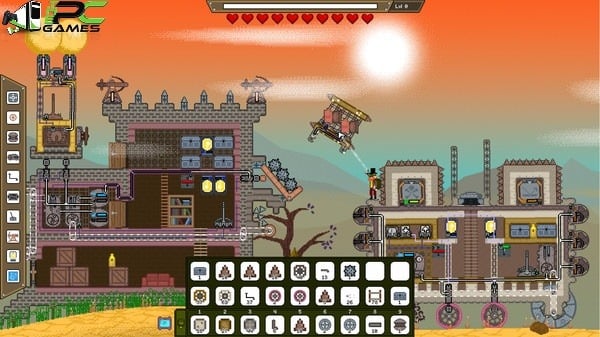
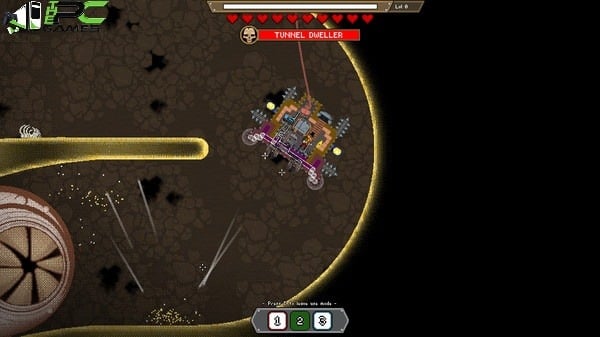
- Mechanic Miner is a PC game that allows you to build and even design any type of machine
内容介绍
Also try Flux
Gameplay Features:
Explore a sandbox that is generated at random, with the choice of following the tale or letting your imagination run wild.
Exploit the planet for a range of beneficial resources to aid in the creation of your own custom mechanical steam-powered equipment and devices. Your imagination is the only limit!
As you gain experience with the level-based progression system, you can learn new technologies and increase your base and building capabilities.
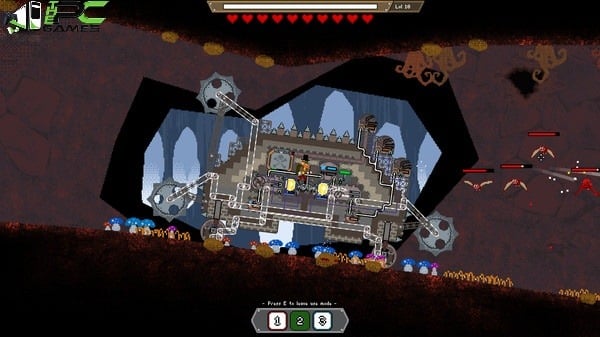
Will you be able to battle and defend yourself and your base against terrifying monsters and bosses with your mechanical creations?
Mechanical Miner’s sandbox is powered by a physics engine that will put your contraption’s ability to navigate the hard terrain to the test.
Create blueprints for your mechanical creations, then utilise them in Story or Survival modes or share them with friends on Steam Workshop to see who the true mechanical genius is.
Minimum Requirements
Your device must meet all minimum requirements to open this game
OS: Windows 7, Windows 8, Windows 8.1, Windows 10 64-bit
Processor: Core i3 2.4 Ghz
Memory: 4 GB RAM
Graphics: Nvidia GeForce 400 series and newer, AMD Radeon HD 5000 Series and newer
Storage: 400 MB available space
Additional Notes: OpenGL version: 4.4
Use the download link given at the bottom of this page to download the full game.
Right click on the compressed file of rar. and click on “Extract here”.
Ensure that you already have the software of Winrar installed.
Now you will see an Iso file that is extracted and you must extract it too by clicking on “Extract here” again.
OR If you are comfortable with “UltraISO” software, you can also open iso with it by clicking on the “Mount to virtual drive” icon on the 3rd bar on top of UtraISO. Then go to the virtual drive and open it. This is usually just after My Computer.
When you have done the mounting or extracting, Right click on the file with extension of “.exe” and click on “Run As Administrator” to start the game installation.
Wait for it to install the game on your pc.
Once the installation is complete, open the folder and copy all the files from there and paste into the directory where you have installed the game. For example if you have installed game in “My Computer > Local Disk C > Program files >“Mechanic Miner” then paste those files in this directory.
Click on replace if it asks for it.
Right click on the game icon .exe and then click on “Run as Administrator” to start the game.
Enjoy!
应用截图

最新文章
更多- PS国服港服日服游戏官网地址一览-最新PlayStation官方网站直达 2025-12-17
- 51漫画官方免费入口-51漫画官网在线观看全免费 2025-12-17
- 配一脸梗是什么梗?揭秘情侣超甜互动的网络热词,看完秒懂! 2025-12-17
- 永续合约资金费用产生原因及作用机制解析 2025-12-17
- 搜2026最新红包活动入口 2025-12-17
- 一耽漫画下载安卓最新版本-一耽漫画app免费下载安装无限看 2025-12-17