
SpaceEngine
- 类型:模拟经营
-
评分:
- 版本:v1.0
- 语言:英文
- 大小: 125mb
- 更新:2022-07-23
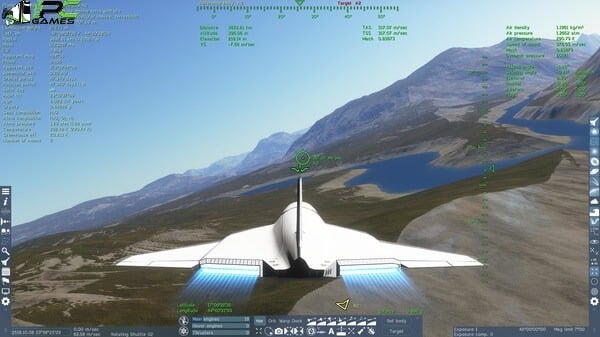
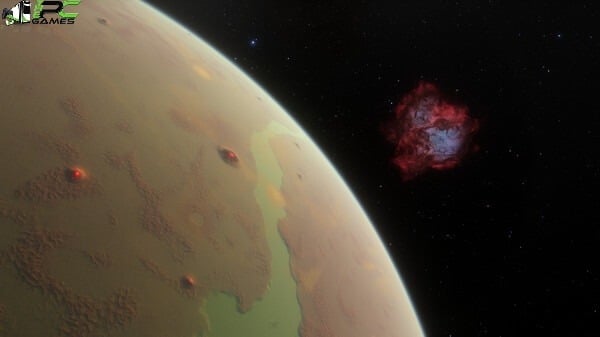
- SpaceEngine is a science-based cosmos with thousands of galaxies
内容介绍
Also try using Ryse Son Of Rome
Minimum Requirements
Your device must meet all minimum requirements to open this game
Requires a 64-bit processor and operating system
OS: Windows 7
Processor: Intel Pentium G3240 or AMD FX-4100
Memory: 4 GB RAM
Graphics: GeForce GTX 950 or Radeon HD 8760
Storage: 4 GB available space
Additional Notes: VRAM (dedicated video memory) is very important for SpaceEngine – 2 GB is enough to run the program comfortably on lower settings.
Recommended Requirements
Your device should meet these requirements for the best experience
Requires a 64-bit processor and operating system
OS: Windows 10
Processor: Intel Core i5-4430 or AMD FX-8350
Memory: 8 GB RAM
Graphics: GeForce GTX 970 or Radeon R9 290
Storage: 50 GB available space
Additional Notes: VRAM (dedicated video memory) is very important for SpaceEngine – 4 GB are required to run the program with all features enabled and at good settings.
Use the download link given at the bottom of this page to download the full game.
Right click on the compressed file of rar. and click on “Extract here”.
Ensure that you already have the software of Winrar installed.
Now you will see an Iso file that is extracted and you must extract it too by clicking on “Extract here” again.
OR If you are comfortable with “UltraISO” software, you can also open iso with it by clicking on the “Mount to virtual drive” icon on the 3rd bar on top of UtraISO. Then go to the virtual drive and open it. This is usually just after My Computer.
When you have done the mounting or extracting, Right click on the file with extension of “.exe” and click on “Run As Administrator” to start the game installation.
Wait for it to install the game on your pc.
Once the installation is complete, open the folder and copy all the files from there and paste into the directory where you have installed the game. For example if you have installed game in “My Computer > Local Disk C > Program files >“SpaceEngine” then paste those files in this directory.
Click on replace if it asks for it.
Right click on the game icon .exe and then click on “Run as Administrator” to start the game.
Enjoy!
应用截图


最新文章
更多- 梦幻西游云游戏最新入口-梦幻西游网页版在线畅玩官网入口 2026-01-30
- 六娃是什么梗?揭秘葫芦娃隐身梗爆火原因,网友直呼太真实! 2026-01-30
- 无广告漫画app排行榜2026-免费无广告漫画app推荐 2026-01-30
- 抖币充值入口-抖音1:10抖币充值官网 2026-01-30
- pixiv网页版手机直达入口-pixiv网页版手机极速登录 2026-01-30
- 六味地黄丸是什么梗揭秘其网络爆火原因和养生真相 2026-01-30